How it works.
- Tell Chefie how you eat, once. When you set up the app you choose the cuisines you like, foods you would rather avoid, your allergies and diet, how much time you usually have and the kit in your kitchen. Every idea starts from that.
- Ask like you would text a friend. Type or say what you are after: a mood, an ingredient, a time limit, who you are cooking for.
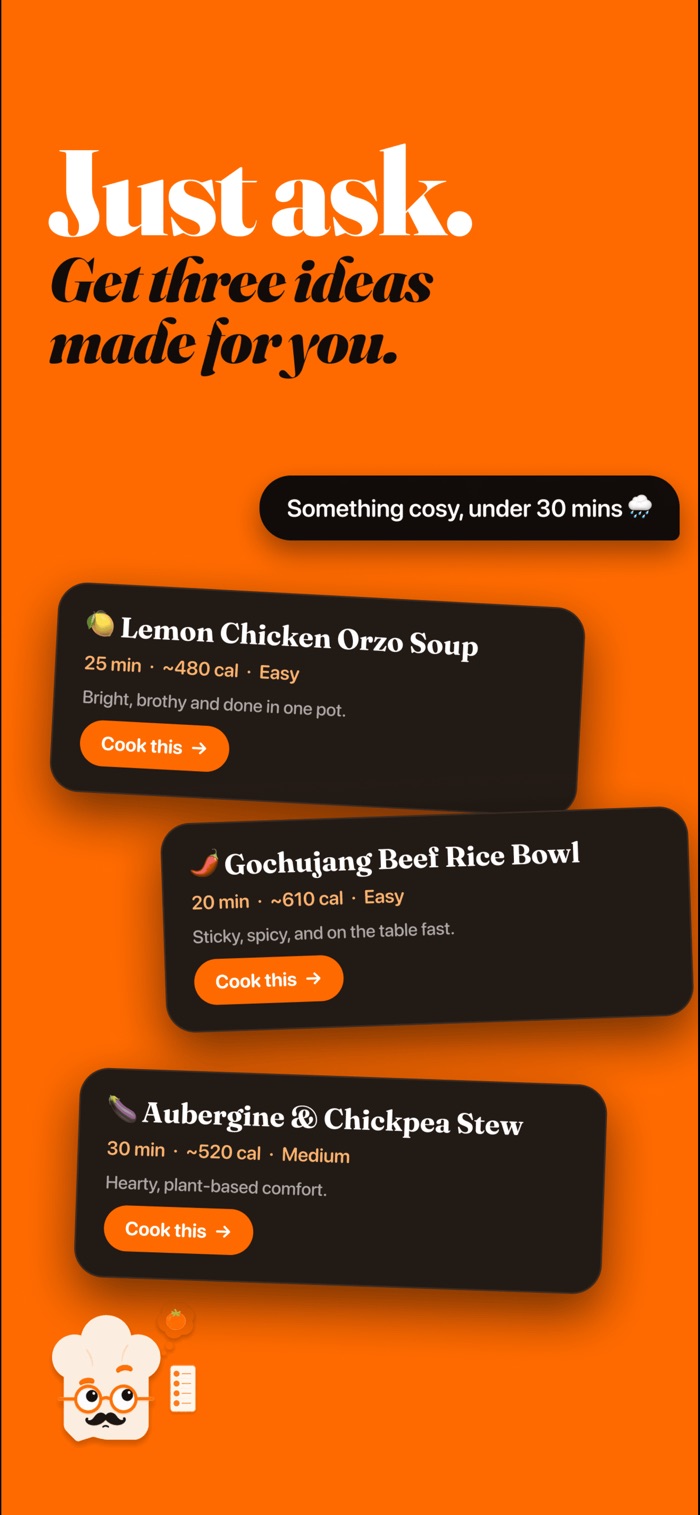
- Pick from three ideas. Each one shows the time, calories and difficulty up front, so you can choose at a glance.
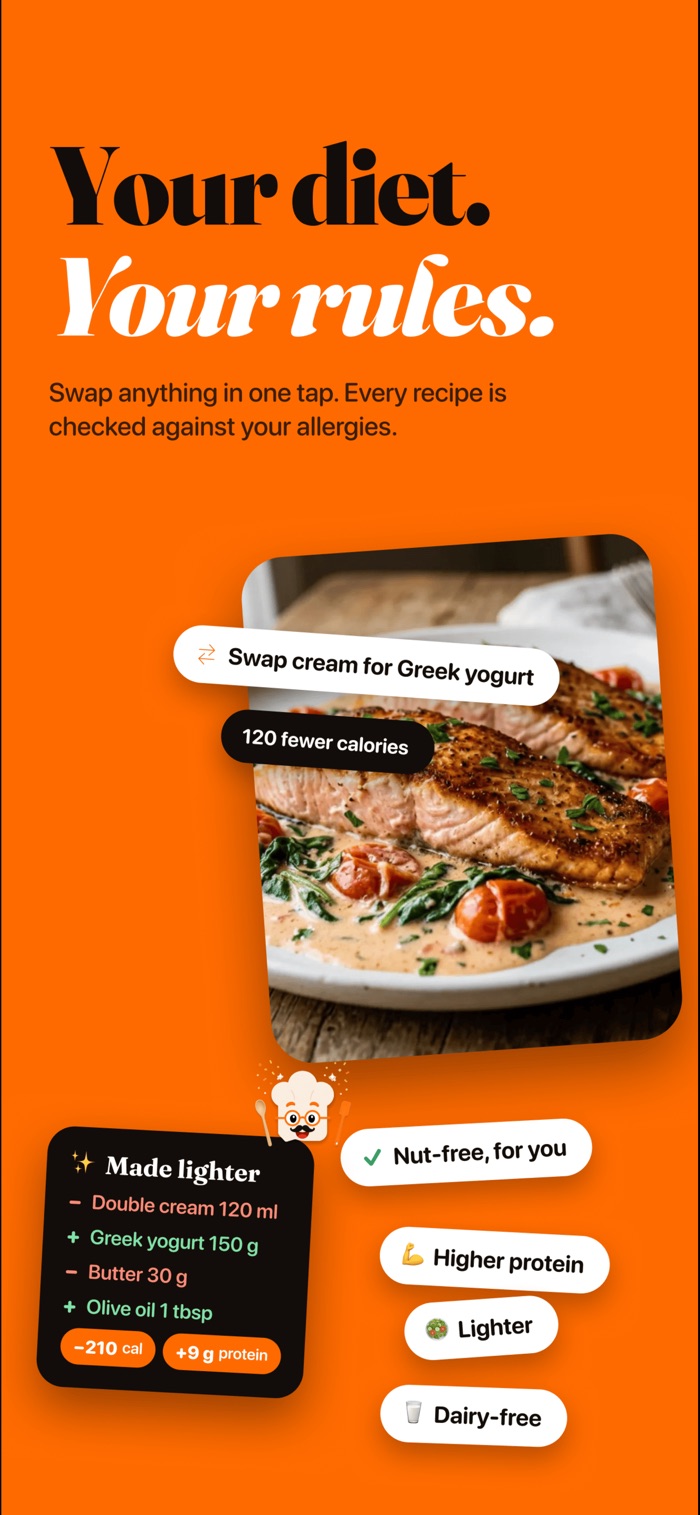
- Change anything. Make it lighter, higher in protein or done in fewer pans, and the recipe updates to match.
- Cook it step by step. Cook mode gives you big steps, built-in timers, read-aloud and "show me" pictures of how each step should look. The ingredients go on your shopping list, grouped by aisle.
What to ask for.
A good request has one or two details that matter to you tonight. Here are a few, with the kind of ideas they lead to. What you get depends on your profile and what you ask.
"Something cosy, under 30 minutes"
Warming one-pot ideas, like a creamy bean stew or a quick noodle soup, each with its time shown before you open it.
"I've got chicken thighs and a bag of spinach"
Ideas built around what you have, such as a lemony chicken traybake or a spinach and feta orzo.
"Something the kids will eat, nothing spicy"
Milder, family-friendly dishes. Any allergies and diets you have set are checked too, so you don't have to repeat them.
"Make my usual curry dairy-free"
The same dinner with the cream or yoghurt swapped out, and the swap shown on the recipe.
Not quite right?
Change it.
Swap an ingredient you don't have, make it lighter or make it higher in protein. The recipe updates in one tap.
- Lighter, higher protein or fewer pans
- Swap anything you don't have in
- Every recipe checked against your allergies and diet
Tips for better ideas.
- Lead with what matters most. A time limit, a key ingredient or a mood narrows things down faster than a long list.
- Describe it in your own words. "Crispy, salty and done in 20 minutes" works as well as a dish name.
- Ask again if none fit. Say what you didn't like about the first three and Chefie will try again.
- Rate what you cook. After cooking, rate the dish. Chefie learns what you love and keeps your streak going.
- Keep your profile up to date. If your diet changes, update it in Profile and new ideas follow.
Why not just a chatbot?
A general chatbot can write a recipe, but it starts from scratch every time and stops at the text. Chefie remembers how you eat, checks every recipe against your allergies and diet, puts the ingredients on a shopping list grouped by aisle, and stays with you at the hob with timers and read-aloud. New recipes are added every week too, picked for how you like to eat.
Want to see some first? Browse recipes.
Good questions.
Is Chefie free?
Chefie is a subscription app. The annual plan starts with 7 days free for new subscribers, and there's also a weekly plan with no trial. Both include everything. See plans and prices.
Is there a limit on how many recipes I can make?
There are fair daily limits on AI features so Chefie stays fast for everyone. They reset each day. Daily fair-use limits are the same on every plan. Saved recipes, lists and cook mode for saved recipes keep working.
Can I trust the recipes with my allergies?
Chefie checks every recipe against the allergies and diets you set. But AI can make mistakes and ingredients vary by brand, so always check labels, especially for a serious allergy.
Is it on Android?
Not yet. Chefie is on iPhone today. Join the Android waitlist and we'll email you when it's on Android.

What's for dinner?
Just ask.
7 days free on the annual plan, for new subscribers.